Skip to content

Chaos-proof your kennel

Every run card on one page. Every dog prints. Every time.

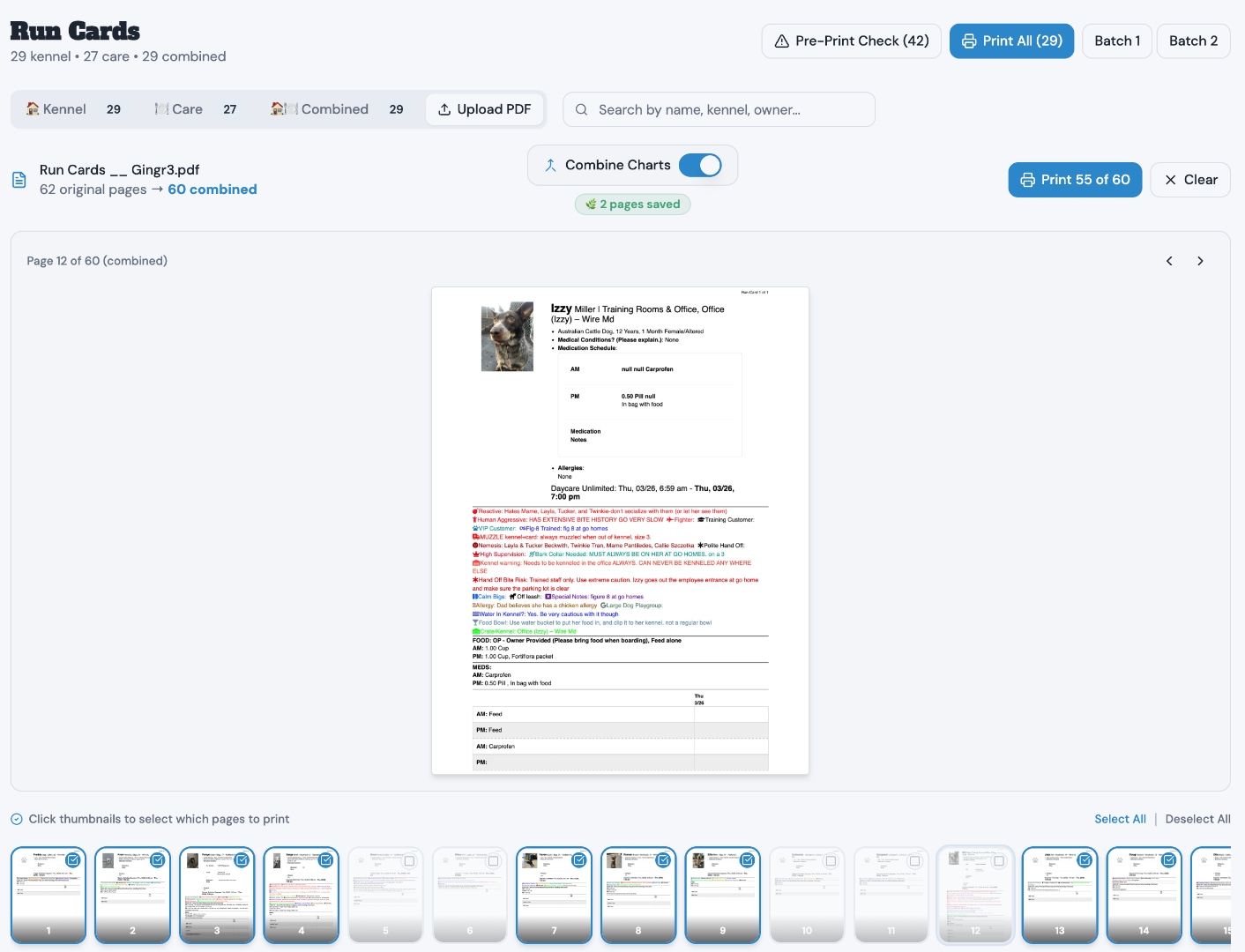
Gingr run cards with lots of info spill onto two pages — meds on one sheet, the chart on another. We fix that. Upload your PDF, we auto-fit every dog to a single page and batch the whole file so your printer doesn't choke. Free forever.

Built at Train Walk Poop boarding & daycare · 70+ dogs daily · West Jordan, UT

Dog Command Center run cards page showing Upload Gingr Run Card PDF with combine feeding and med charts toggle, save paper reprint options, and Why reprint through DCC explanation
Tap for detailClick to expand

Up and running in minutes, not days.

The run card printer is free. Just give us your name and email.

1

Save your Gingr report

In Gingr, go to Print All Run Cards. Save that PDF to your computer. That's the only file you need.

2

Upload it here

Drop the PDF into our printer. Dogs with tons of info — meds, feeding notes, icons — that Gingr splits across two pages? We auto-fit them onto one. Then we batch and format the whole file so your printer handles it in one shot.

3

Print. Done.

Every dog on one page. Every page prints. No more two-sheet run cards where the food is on one page and the chart is on the other. No more your printer choking halfway through a 90-page file. One clean PDF. Hang it on the kennel. Everything you need is right there.

The free printer is just the start.

When you're ready for more, here's what's waiting.

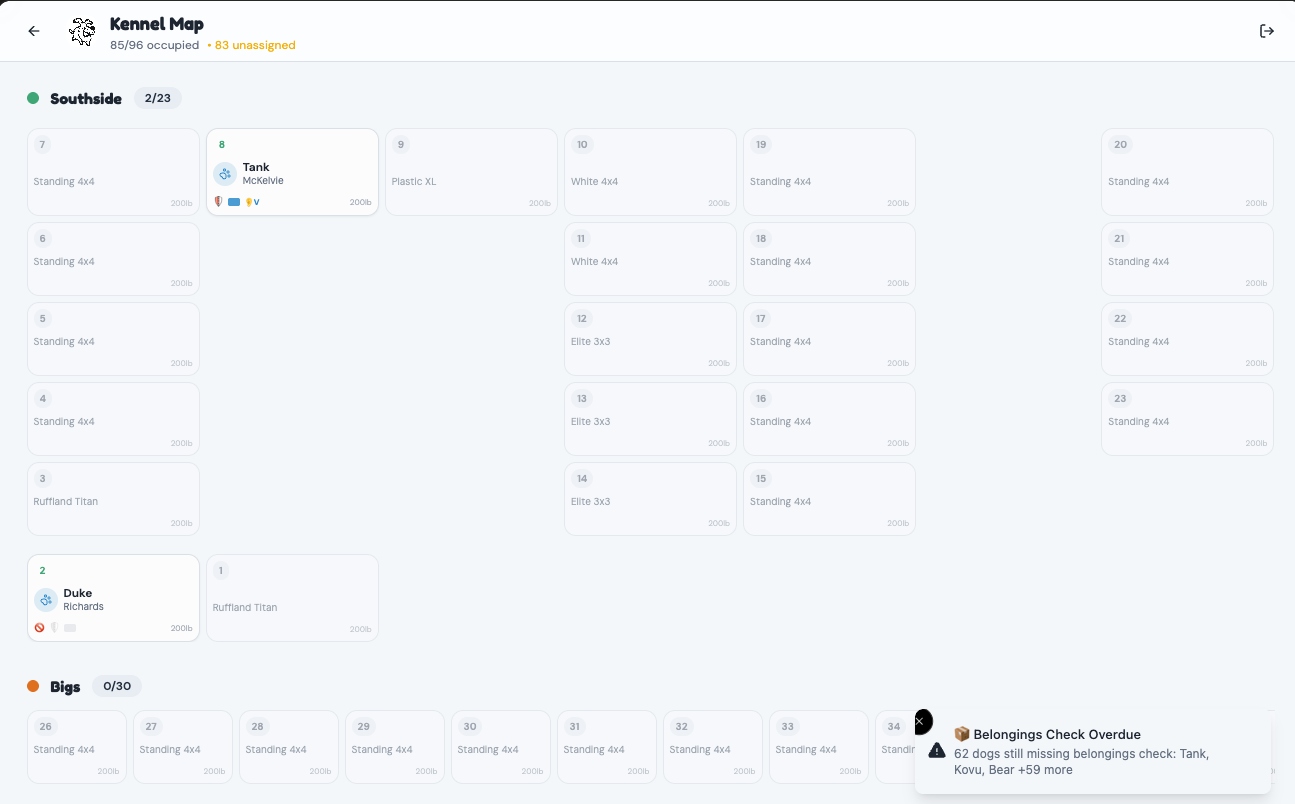
Drag & Drop Kennel Map

No more guessing who goes where.

Drag a dog to a kennel. Done. The map remembers their last stay and auto-assigns them there next time they book — or mark a kennel as a favorite so they get it automatically if it's open. It gets smarter every time a dog stays with you.

Try to kennel a dog next to one they don't get along with? You'll get an alert before it becomes a problem. Nemesis pairings are built in — your team doesn't have to remember, the system does.

Auto-assigns from last stay. Learns favorites. Blocks bad neighbors.

Dog Command Center kennel map showing 72 of 99 kennels occupied with Southside, Bigs, and Littles sections, drag-to-assign grid editor, and dog assignments
Tap for detailClick to expand

Add-On Services Board

No upgrade revenue falls through the cracks.

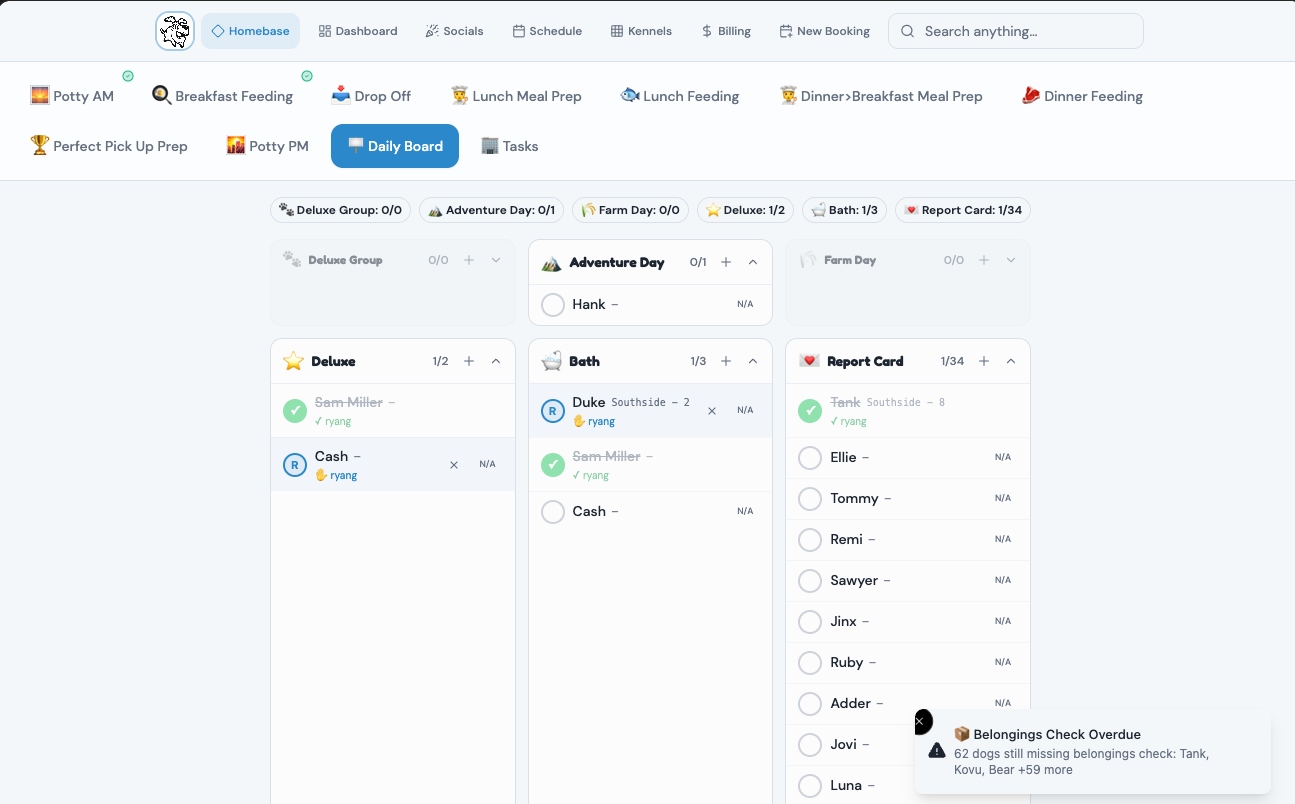
Every add-on and upgrade service in one view — baths, adventure days, deluxe stays, report cards. Your team claims a task, checks it off, and the whole facility sees it in real time. No more "I thought someone else did that."

This is where your profit margins live. Upgrades are the highest-margin revenue in your facility, and this board makes sure every single one gets delivered, tracked, and accounted for.

Belongings check overdue? The board catches it before pickup — not after.

Dog Command Center add-ons board showing Adventure Day, Farm Day, Deluxe, Bath, and Report Card columns with late-add badges, belongings check overdue alert, and staff assignment tracking
Tap for detailClick to expand

Guided Meal Prep

Wet food, meds, allergies — nothing gets missed.

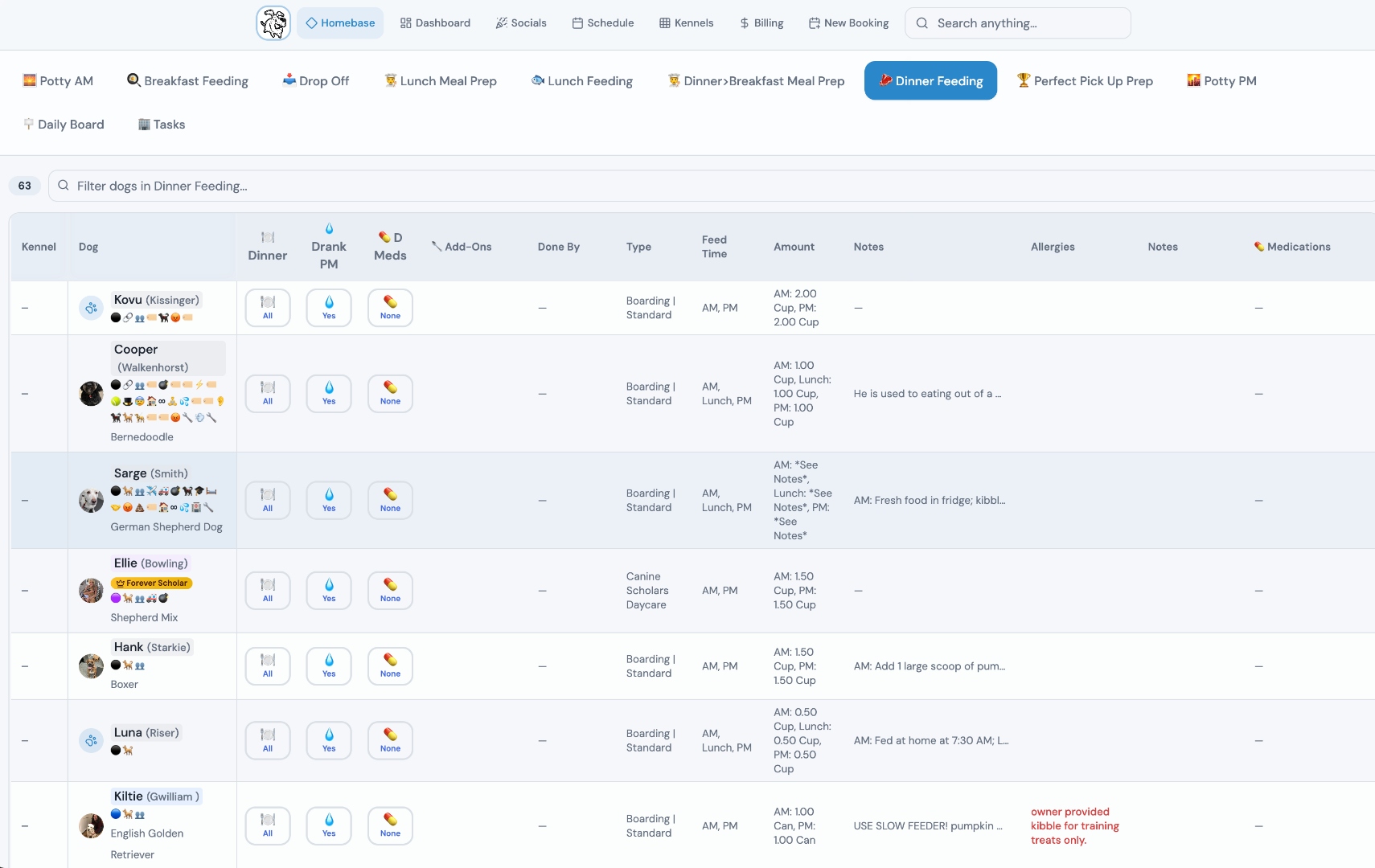
Staff walks through each dog's meal setup step by step. Icons flag the common variables — add wet food, give meds, allergy alert, appetite stimulant — so your team doesn't have to remember. They just follow the screen. Tap, tap, tap — done.

Every meal is tracked. Every med is logged. If something gets skipped, you know who skipped it and when. No more finding out a dog missed meds at pickup because nobody wrote it down.

Accountability per meal, per dog, per staff member. Every shift.

Dog Command Center meal prep view showing 33 dogs with dinner and breakfast prep status, medication columns, allergy tracking, feeding amounts, and staff completion logging
Tap for detailClick to expand

Reports That Actually Help

The numbers you need without the accounting degree.

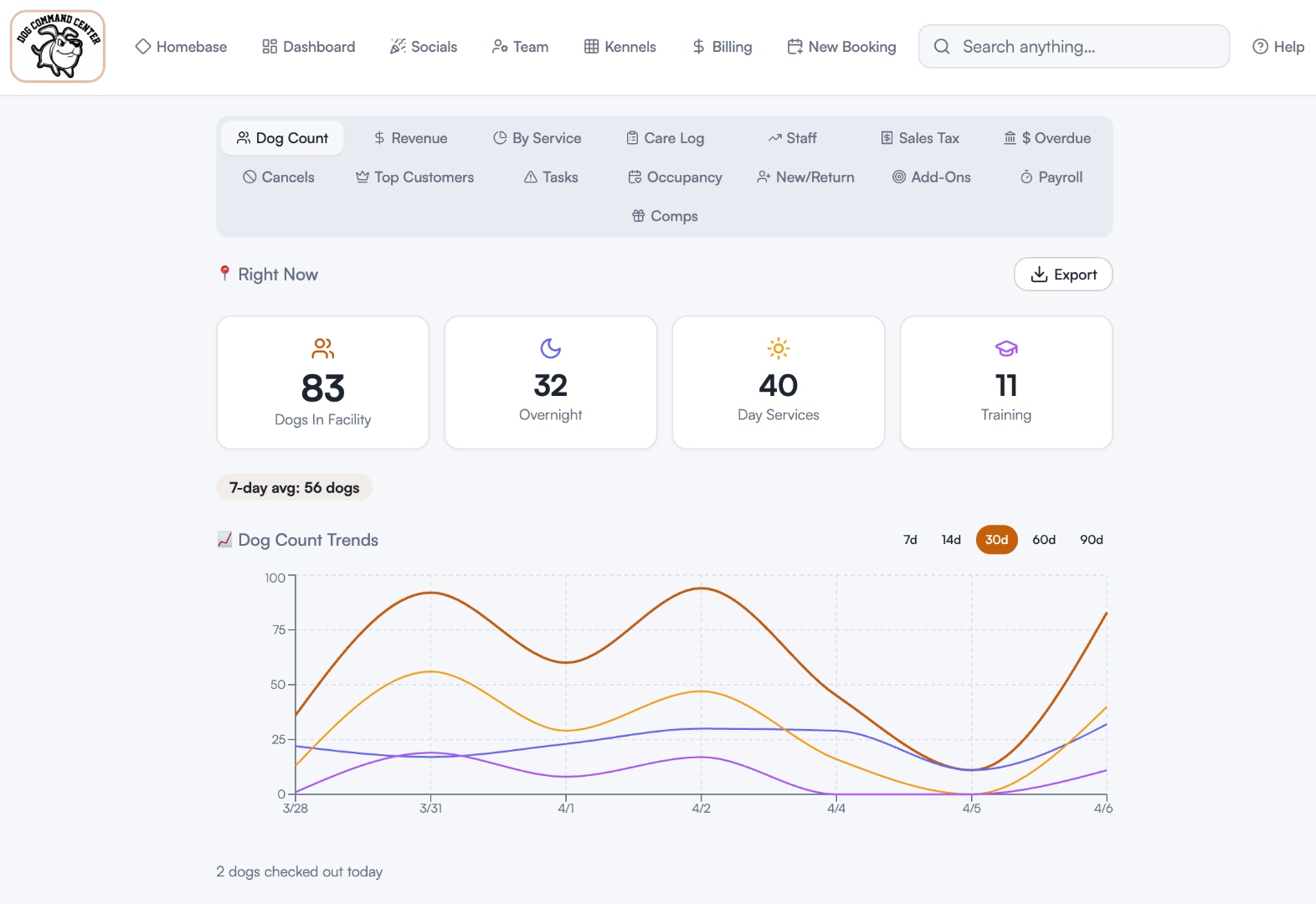
Gingr reports bury what matters under double-entry accounting jargon — debits, credits, consumed deposits. You shouldn't need a CPA to figure out how Tuesday went. Our reports give you plain-english answers: how many dogs, how much revenue, what's trending up, what's slipping.

The stuff you actually pull up every day. Exportable, filterable, and built for owners who run a facility, not a spreadsheet.

Dog Command Center reports dashboard with Dog Count, Revenue, Care Log, Staff, Sales Tax, Occupancy, and Payroll tabs, real-time stat cards showing 83 dogs in facility, and 30-day trend chart
Tap for detailClick to expand

Booking & Add-Ons

Book a dog in 30 seconds. Add-ons sell themselves.

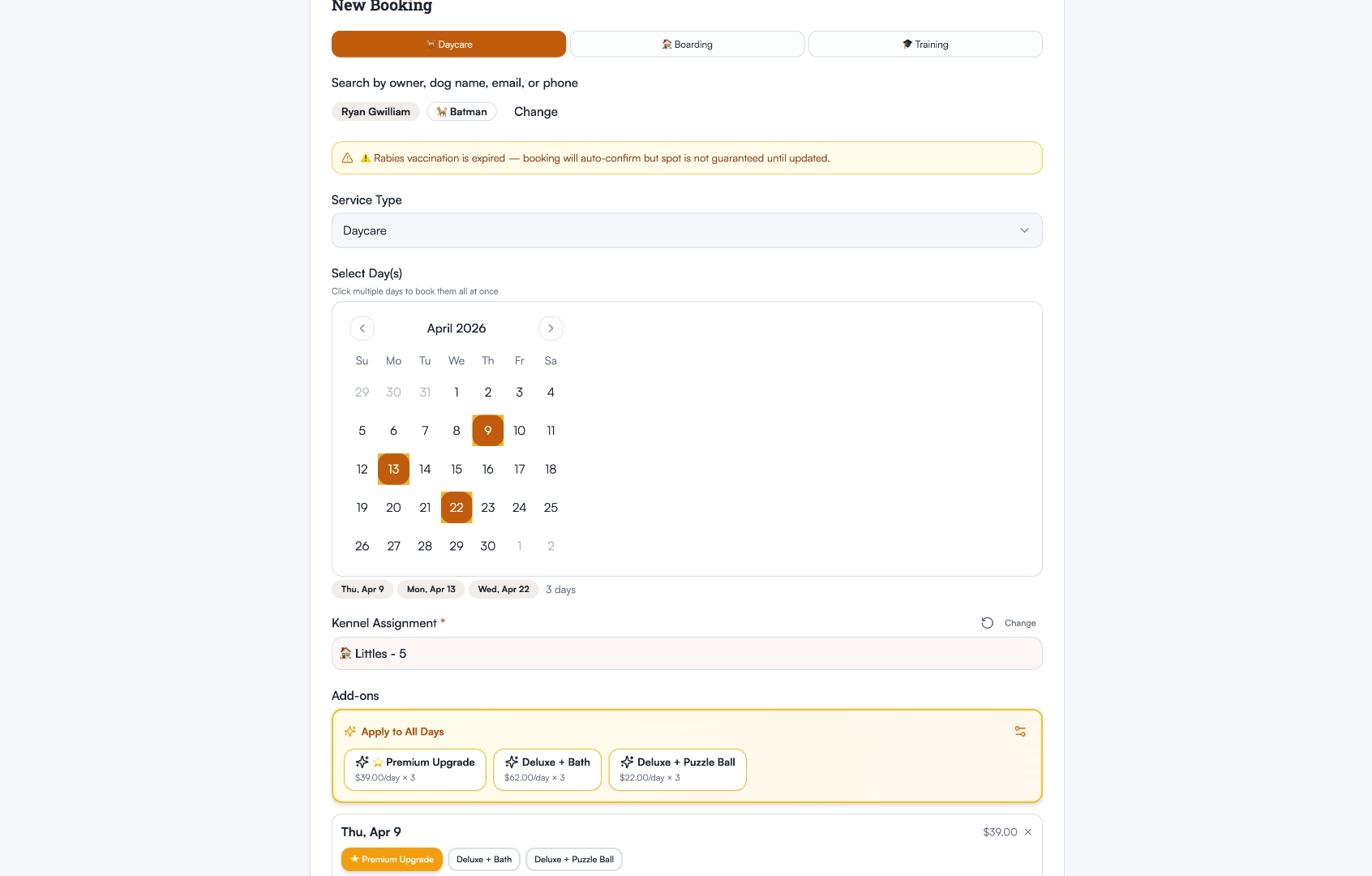
Pick the service, pick the days, pick the kennel. The system auto-applies discounts, shows daycare pass balances, and flags expired vaccinations before you confirm. No more booking a dog and finding out at check-in their rabies is overdue.

Add-ons are right there in the booking flow — Premium Upgrade, Deluxe + Bath, Puzzle Ball. Your staff doesn't have to remember to upsell. The options are on screen, priced per day, and clients see the total before you hit book.

Auto-applied discounts. Vaccination alerts. Add-on upsells built in.

Dog Command Center booking flow showing Daycare service type, multi-day calendar selection, kennel assignment with recommended kennels, and add-on packages with per-day pricing
Tap for detailClick to expand

Client Portal

A customer app that doesn't make your clients call you.

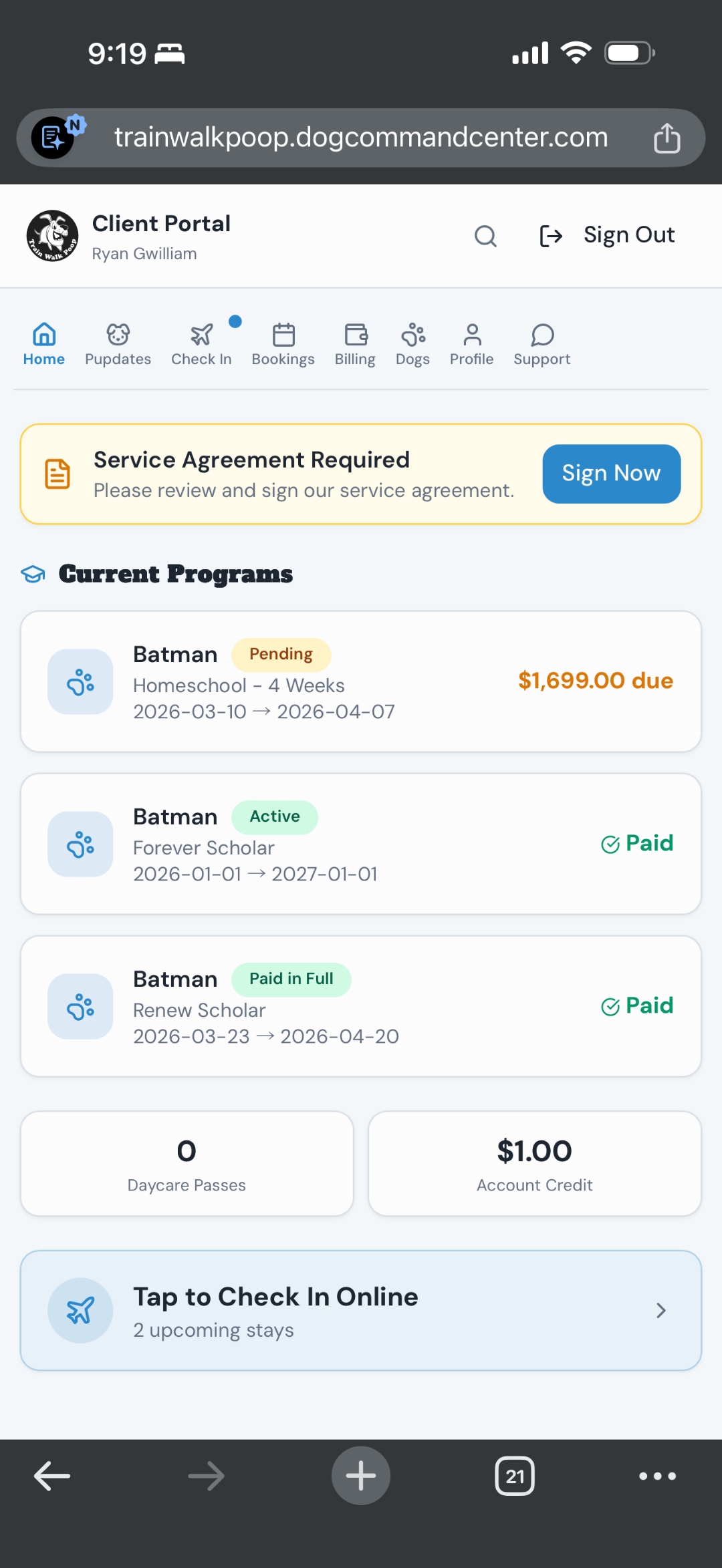
Your clients see their programs, payment status, daycare passes, and upcoming stays — all in one place. No more "how do I book?" calls. No more "did my payment go through?" texts. They just open the portal and everything is right there.

Online check-in that actually works. Clients give you an ETA so your staff knows how busy the lobby is about to get. They update their dog's food, meds, and belongings before they show up — so your office isn't chasing them down three times to get the info you need.

And when clients can see and add upgrades themselves — adventure days, baths, deluxe stays — they buy more. Revenue you didn't have to sell.

Self-serve booking, check-in, belongings updates, and add-ons. Clients love it. Your phone stops ringing.
Dog Command Center client portal showing Current Programs with payment status, Daycare Passes, Account Credit, and Tap to Check In Online button
Tap for detailClick to expand

"I built this because I was tired of waiting for Gingr to fix it. Now my staff uses it every single shift."

Ryan Gwilliam · Owner, Train Walk Poop Boarding & Daycare · West Jordan, UT

70+ Dogs daily
0 Hours chasing staff updates
1 PDF, not 90
0 Printer fights

See it in action.

No demo call. No sales pitch. Just the app, doing the thing.

Start free. Upgrade when you're ready.

The run card printer is free forever. Paid plans get a 30-day trial — no credit card, cancel anytime.

Run Card Printer

Free forever — no credit card, no catch

  • Upload Gingr "Print All" PDF
  • Auto-fits multi-page cards to one page
  • Auto-batching so your printer won't choke
  • No account needed — just email

Ready for more? Compare paid plans.

Starter

Works alongside Gingr

$49 /month
  • Free run card printer
  • Unlimited icons & custom categories
  • Icons trigger alerts & actions
  • Add-on services board
  • Guided meal prep tracking
  • Drag-drop kennel map
  • Booking & scheduling
  • Billing & payments
Start 30-Day Trial

Multiple locations? +$99/mo per location

Full Platform

Chaos-proof your kennel

$149 /month
  • Everything in Pro
  • Advanced reporting & analytics
  • Full staff management
  • Time clock that works how you'd expect
  • Team & individual alerts, tasks & accountability — stop posting updates in Slack, just tap and go and everyone knows
  • Onboarding & data migration help
Start 30-Day Trial

Multiple locations? +$99/mo per location

Questions you're probably asking.

No — and you don't have to at any plan level. Every plan works alongside Gingr. The free printer reads your Gingr PDF directly. Starter adds icons, task boards, and meal prep on top of Gingr. Pro and Full Platform can replace Gingr entirely with booking, billing, and reporting — but they don't have to. You can run both side by side for as long as you want, and if you ever decide to leave Gingr, the transition is seamless because your data and workflows are already here.
The free run card printer? Under 2 minutes. Go to Gingr, click "Print All Run Cards," save as PDF, upload it here, pick your layout, print. That's it. You're doing something you couldn't do before in the time it takes to pour a coffee. For paid features, some people are up and running in an hour. Most are fully set up in a few hours.
You pick a plan. No auto-billing surprises — you'll get a reminder before your next payment is processed. Cancel anytime. It's as easy as that.
Yes. Dog data is stored securely and you can export it anytime. Payments run through Stripe — simple and intuitive. We never store credit card numbers. You get clean, simple reporting: what came in, what went out, done. No more of Gingr's confusing debits and credits and invoices that don't match up.
Ryan Gwilliam, owner of Train Walk Poop in West Jordan, Utah. Not a software company — a facility owner who built the tools he needed and decided to share them. The app runs at his facility every single day.
Yes. Ryan uses it at his facility every day. When something needs to work better, he fixes it. When a customer has a great idea for a feature, he starts building it right away — not in three years after enough people have complained. This isn't a side project someone forgot about — it's the backbone of a real operation, built by someone who actually answers when you reach out.

One page per dog. One file. No printer fights.

Upload your Gingr PDF. We auto-fit every run card to a single page and batch it so your printer actually finishes the job. Free forever — no credit card, no demo, no sales call.

Try the Free Run Card Printer